Here are some key features of "Autodesk 3ds Max":
Slate Material Editor:
· More easily visualize and edit material component relationships with Slate, a new node-based material editor that
· helps significantly improve workflow and productivity for artists creating and editing complex material networks.
Quicksilver Hardware Renderer:
· Create high-fidelity pre-visualizations, animatics, and games-related marketing materials in less time with Quicksilver,
· an innovative new hardware renderer that helps produce higher-quality images at incredible speeds.
Local Edits to Containers:
· Collaborate more efficiently with significantly enhanced workflows for Containers that enable users to layer local edits
· non-destructively on top of referenced content.
Modeling and Texturing Enhancements:
Accelerate modeling and texturing tasks with new tools that extend the Graphite modeling and Viewport Canvas toolsets:
· a revised toolset for 3D painting and editing textures within the viewport; the ability to paint with object brushes
· to create geometry within a scene; a new brush interface for editing UVW coordinates; and an interactive tool for
· extending edge loops.
Viewport Display of 3ds Max Materials:
· Develop and refine scenes in a high-fidelity interactive display environment—without the constant need to re-render—
· with the new ability to view most 3ds Max texture maps and materials in the viewport.
3ds Max Composite:
· Enhance rendered passes and incorporate them into live action footage with 3ds Max Composite: a full-featured, highperformance, HDR-capable compositor, based on technology from Autodesk Toxik software.
In-Context Direct Manipulation UI:
· Save time when modeling and maintain focus on the creative task at hand with a new in-context user interface (UI) for
· polygon modeling tools that help eliminate unnecessary mouse movement away from the model.
CAT Integration:
· More easily create and manage characters, and layer, load, save, remap, and mirror animations with the Character
· Animation Toolkit (CAT).
User Interface Customization:
· Maximize the usable workspace and focus on the features that matter most for specialized workflows with customizable
· user interface layouts.
Requirements:·
Microsoft Internet Explorer 8 or higher·
DirectX 9.0c (required), OpenGL (optional)· For general animation and rendering (less than 1,000 objects or 100,000 polygons):
· Intel Pentium 4 1.4 GHz or equivalent AMD® processor with SSE2 technology
· 2 GB RAM (4 GB recommended)
· 2 GB swap space (4 GB recommended)
· 3 GB free hard drive space
· Direct3D 10 technology, Direct3D 9, or OpenGL-capable graphics card
· 256 MB or higher video card memory, 1 GB or higher recommended
· Three-button mouse with mouse driver software
· DVD-ROM drive
· Internet connection for web downloads and Autodesk Subscription-aware access
Limitations:
· 30 days trial period
· Nag screen
What's New in This Release: [
read full changelog ]
Vector map support:· Get new support for vector maps
Populate crowd animation:· Generate believable human motion.
Augmented particle flow system:· Create better physical simulations in less time.
Improved viewport performance:· Get better interactive and playback performance.
DX 11 viewport rendering:· 3ds Max now supports DirectX 11 shaders.
Perspective Match:· Place CG elements into photo backgrounds.
2D Pan and Zoom:· Pan and zoom without affecting camera position.


 للتحميل أضغط هنا :حمل من هنا رابط مباشر : http://adf.ly/QnVJU او من هنا : http://adf.ly/QnVJUالكراك من هنا : http://adf.ly/QnVsi========================================================================وبرنامج آخرRAR Password Cracker Version 4.12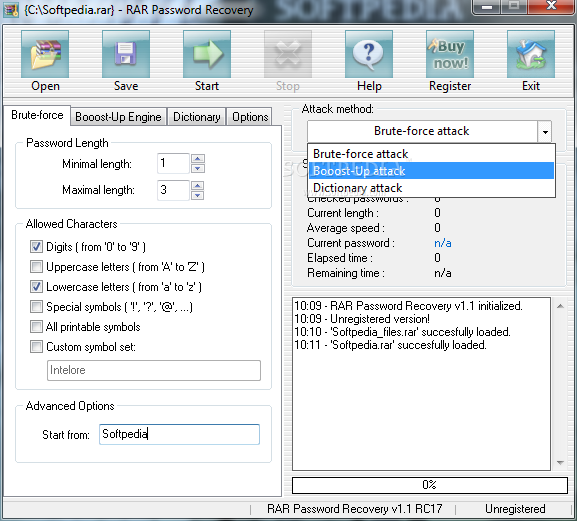
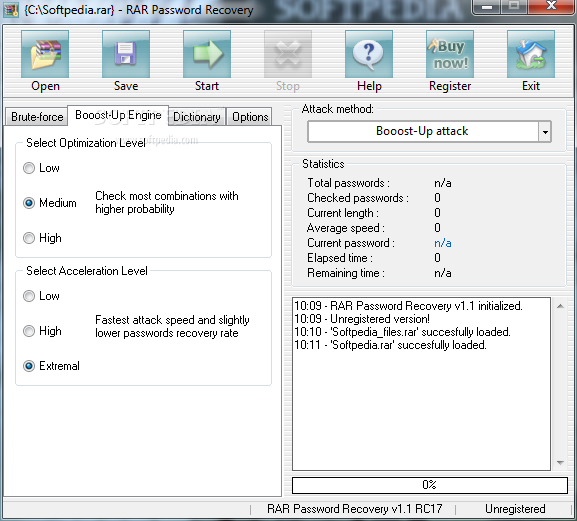 للتحميل أضغط هنا :حمل من هنا رابط مباشر : http://adf.ly/QnVJU او من هنا : http://adf.ly/QnVJUالكراك من هنا : http://adf.ly/QnVsi========================================================================وبرنامج آخرRAR Password Cracker Version 4.12